

Delegation vs agent-to-agent
Delegation
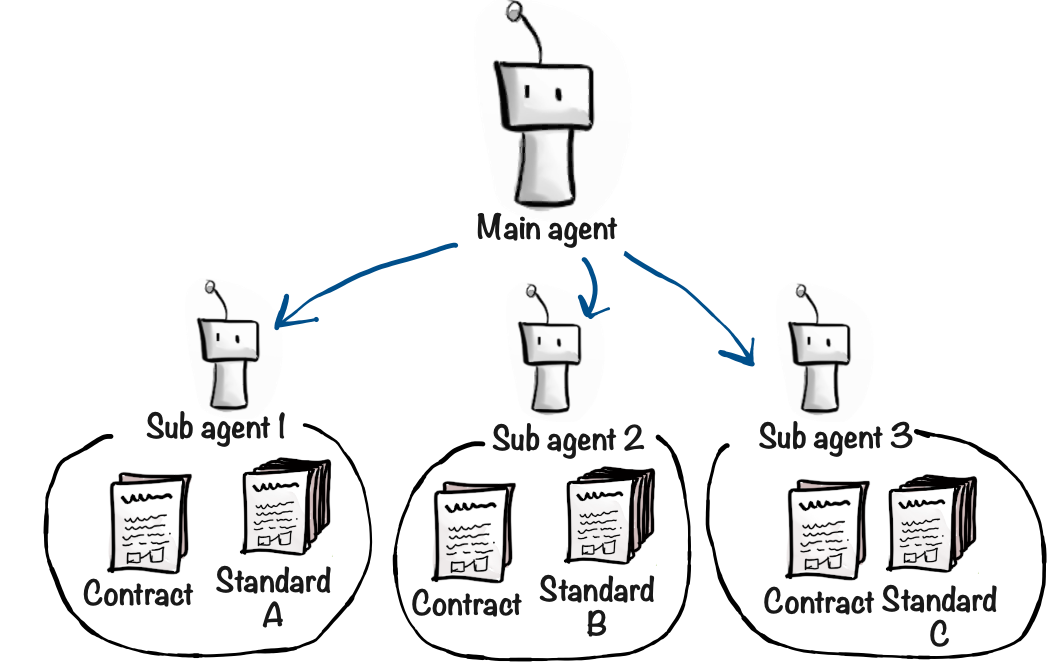
Delegation lets an agent create a temporary sub-agent to carry out a specific task. The sub-agent does its job and vanishes—no configuration required, no extra agents to manage. The parent agent provides:- A task description with all necessary context
- Which capabilities the sub-agent should have
- Optionally, document references for the sub-agent to read or write
- Optionally, a different LLM (e.g., a cheaper model for simple tasks)
Why delegate?
The primary reason is context management. When an agent processes large documents sequentially, its context window fills up quickly—degrading performance, increasing costs, and raising the risk of hallucination.Example: Contract compliance review
Suppose an agent reviews contracts against three compliance standards. Each standard is a substantial document. Without delegation: The agent reads the contract and Standard A, then assesses compliance. Now it has the contract, the full standard, and the assessment in its context. Then Standard B—two full standards plus assessments. By Standard C, the agent is drowning in content.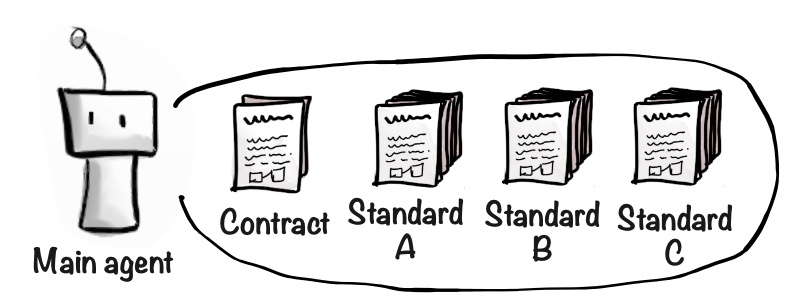
When to use delegation
- Large documents — Offload document processing to keep the main context clean
- Parallel analysis — Multiple sub-agents can work on independent tasks simultaneously
- Focused tasks — Sub-agents get exactly the context and tools they need, nothing more
- Cost optimization — Use cheaper models for simpler sub-tasks
Watching delegation in action
When an agent delegates a task, the sub-agent’s work appears in chat as a collapsible accordion — tool calls, text output, and progress update in real-time as the sub-agent runs. The timeline persists after page refresh, so you can review what happened at any point.Enabling delegation
Delegate Task is enabled by default for new agents. If it has been turned off on your agent, re-enable it in the capabilities page. No other configuration is needed—the agent handles delegation through a simple tool call.Agent-to-agent communication
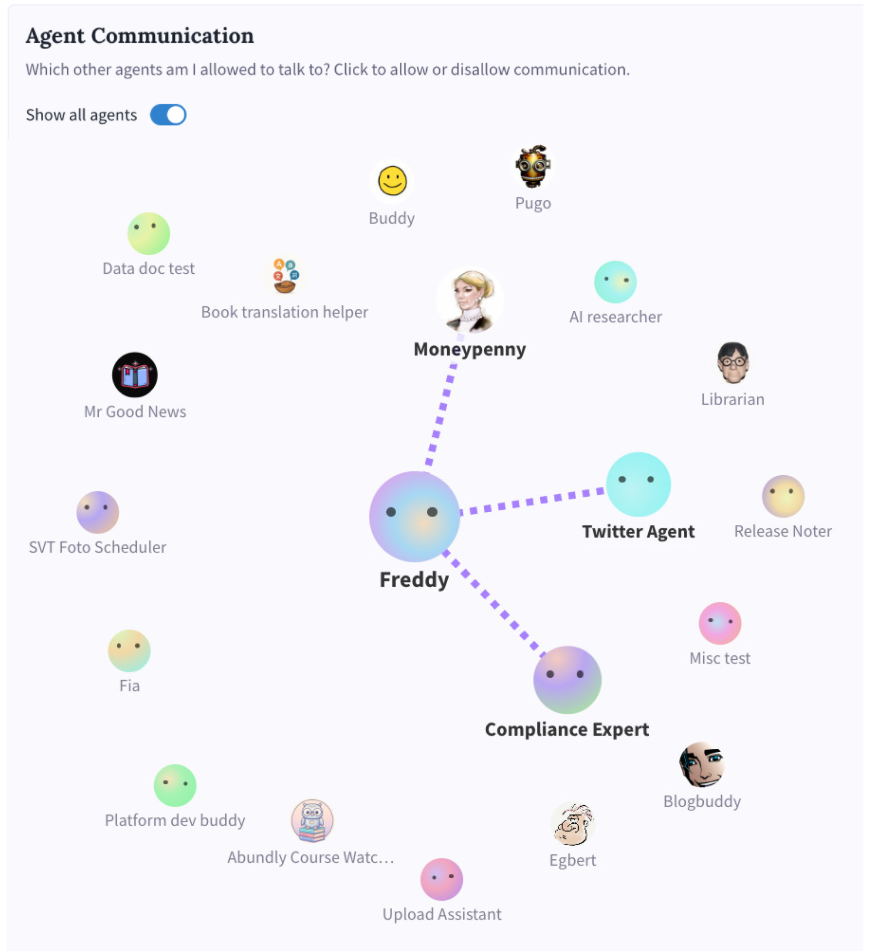
Agent-to-agent communication connects persistent agents that you’ve already created and configured. Each agent has its own instructions, capabilities, LLM settings, and documents. When one agent calls another, it’s asking a fully-configured colleague for help.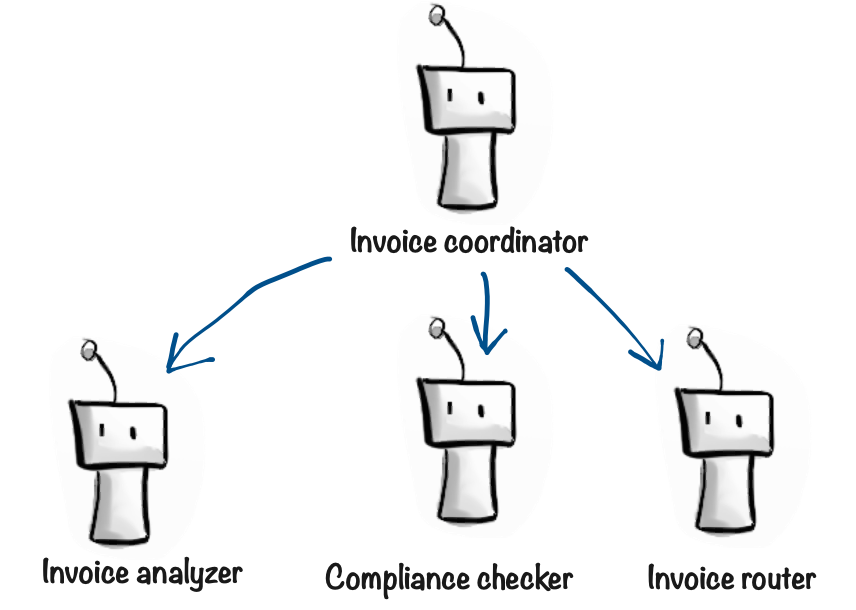
How it works
Agent-to-agent access has two sides, configured per agent in Settings → Agent Communication:- Discoverability (inbound) — Who can find and contact this agent?
- No one — the agent can’t be called by any other agent
- Team (default) — only agents in the same team (or, for agents not in a team, other global agents)
- Everyone — any agent in the workspace, including those in other teams
- Outbound connections — Who can this agent reach out to? Pick specific agents from the communication graph view. You can only pick from agents whose discoverability allows you to reach them.
Example: Social media expert
You have a Twitter agent that’s an expert at posting on X/Twitter. It has the Twitter capability, specialized instructions, templates for different post types, and examples of good tweets. When your main agent needs to tweet something, it calls the Twitter agent. Maybe it shares a document with campaign details, or asks the Twitter agent to search for trending topics and update a shared document with findings. The main agent doesn’t need to know how Twitter works or have the Twitter capability enabled—it just calls the expert.Example: Reusable ICP checker
You have an Ideal Customer Profile (ICP) agent that researches whether a potential customer is a good fit. It knows your criteria, has access to research tools, and has refined instructions based on experience. Multiple agents can now use this ICP checker: your sales agent asks it to evaluate new leads, your marketing agent uses it to qualify inbound inquiries, your partnership agent checks potential partners. The logic lives in one place.When to use agent-to-agent
- Reusable expertise — Share a specialized agent across multiple contexts
- Separation of concerns — Keep complex logic isolated in a dedicated agent
- Organizational structure — Mirror your company with agents for legal, finance, research, etc.
- Existing agents — Leverage agents you’ve already built and refined
Risks of agent-to-agent communication
Cost: Agent-to-agent communication increases credit consumption. Agents spend tokens talking to each other, and each agent has its own system prompt as overhead. Use this feature when the benefits outweigh the added complexity and cost. Indirect access to sensitive data: If Agent A has access to sensitive data (e.g., a customer database or financial records), any agent that can talk to Agent A may be able to obtain that information indirectly. Users chatting with Agent B could ask it to query Agent A, effectively gaining access they weren’t meant to have. Be deliberate about which agents can communicate with each other, especially when sensitive capabilities are involved.Alternative: Task documents
Before adding more agents, consider whether a single agent can handle multiple tasks. You can write different sections in its instructions, or create separate documents describing different tasks or workflows—the agent reads them on demand.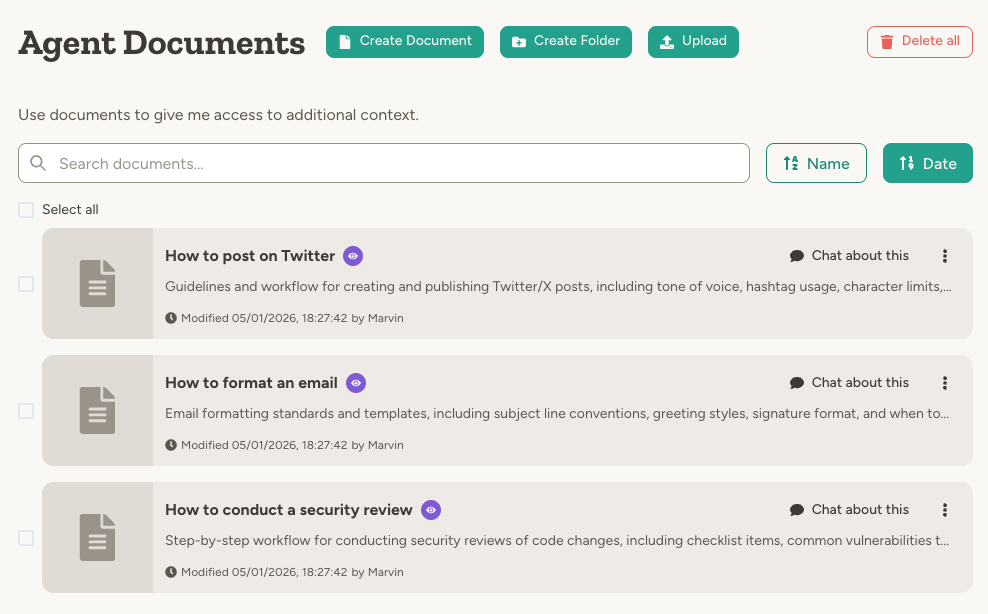
Which approach should I use?
Start simple. Begin with a single agent. Add delegation when you need to manage context or parallelize work. Consider agent-to-agent when:- You want to reuse an agent from multiple different contexts
- You already have a specialized agent that’s good at a specific task
- You want different agents to have different capability sets and maintain their own documents
Can I combine both approaches?
Can I combine both approaches?
Yes. An agent can use delegation for context-heavy tasks while also calling other persistent agents for specialized expertise. Choose the right tool for each situation.
Can sub-agents delegate to other sub-agents?
Can sub-agents delegate to other sub-agents?
No. Sub-agents cannot delegate further—this prevents runaway resource usage and keeps things simple.
What does the called agent know about the caller?
What does the called agent know about the caller?
In agent-to-agent communication, the receiving agent knows the name of the calling agent. For delegation, the sub-agent only knows it’s executing a delegated task—it has no information about the parent.
Does agent-to-agent communication work across teams?
Does agent-to-agent communication work across teams?
Yes, when the target agent’s discoverability is set to Everyone. By default each agent is only discoverable by other agents in the same team (or, if it’s not in a team, by other global agents) — a safe default that keeps team data isolated. Set an agent’s discoverability to Everyone in its Agent Communication settings to let agents from any team call it.
Communicating with external agents
Abundly is designed to play nicely with other platforms—no lock-in. Calling external agents: Your agent can talk to agents outside Abundly via MCP (if the external agent exposes itself as an MCP server) or via HTTP requests (works with any API). Give your agent the capabilities it needs, then update its instructions to explain how to communicate with the external agent. Being called by external agents: Enable API access to expose your agent as an HTTP API, an MCP server (so AI tools like Claude Desktop and Cursor can use it), or a webhook receiver — all sharing the same API keys.Learn more
Agent Management
Configure and organize your agents
Instructions
Define what each agent should do
Capabilities
Give agents the tools they need