

Usage
The Usage tab on an agent’s Activity page shows what the agent delivered (its key metrics), how much it was used and by whom, and what it cost, for a period you choose. Anyone who can use the agent can open this tab. This is separate from Credit balance on the workspace Usage page, which is about billing and is limited to workspace administrators.Agent diary
Each agent maintains a diary — a high-level record of activities and internal reasoning. Diary writing is enabled by default for each agent. You can pause or resume it per agent using the Write diary entries toggle in Activity. When paused, no new diary entries are written, but existing entries remain visible.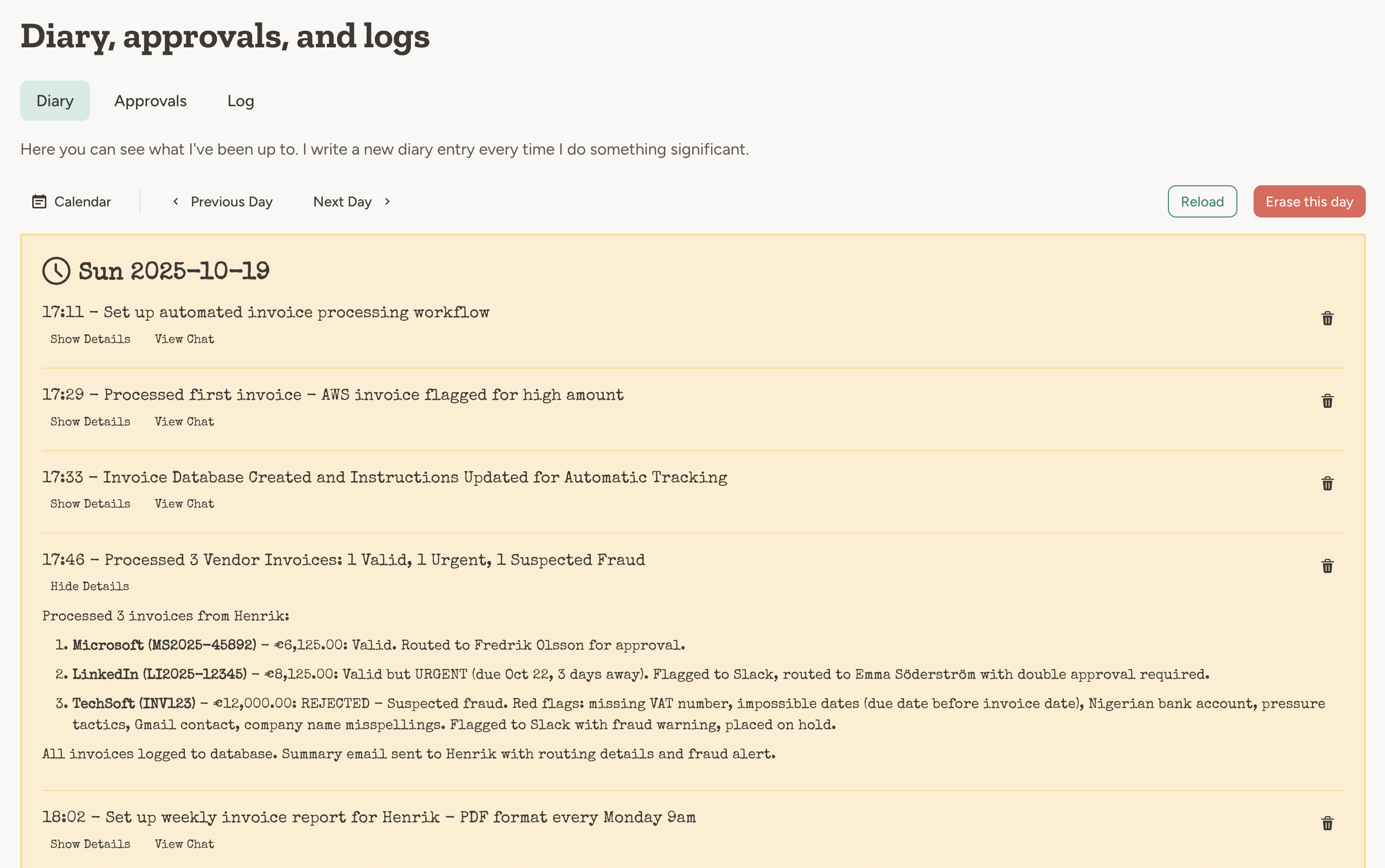
The agent diary shows high-level activities and reasoning
- It has processed a trigger (email, scheduled task, webhook, etc).
- It has done something significant in the chat.
In the chat, the agent decides when to write a diary entry based on the conversation content. For triggers and
events, it typically writes one entry per processed event when diary writing is enabled. Writing a diary entry after
every chat message would be too verbose and not useful.
Activity log
The activity log is a live-updated technical log of all triggers that the agent has processed. Triggers could be for example an email, a scheduled task, or a webhook.
Chat messages are not included in the activity log, since the purpose of the activity log is to show what is going on
outside of the chat, when the agent does things autonomously.
Saved messages (email and SMS)
When any of the email or SMS capabilities are enabled, the platform stores every inbound and outbound message by default. In the agent Activity area, open the Messages tab to list and search them. This is separate from the activity log: the activity log is about each trigger run and tool usage, while the Messages tab is the store of the actual email and SMS content. The Messages tab has a Save messages switch you can use to pause logging for an agent — useful for noisy or privacy-sensitive agents. Existing entries remain visible; only new traffic is skipped. To remove a message you no longer want stored, use the delete icon on its row — this requires Edit access on the agent. The deletion is recorded in the workspace’s User action log with the message’s channel, direction and date, but never its content or addresses. With email or SMS capabilities enabled, the agent can search the same message log from chat. New messages are only added while the switch is on, but the log can still list messages that were stored earlier. When an agent processes a trigger, it goes through a sequence of steps, each shown in detail in the expanded activity log entry. Each log row shows the trigger timestamp, event type, progress status, and total credits used for that execution.- Script execution (script-based triggers only) Run the configured script first. If the script escalates, the full agent pipeline continues. Script-based scheduled runs appear as dedicated entries in the activity log, separate from any escalated agent pipeline run.
- Pre-filter Decide if this trigger is relevant to the agent. This is an early-out mechanism to save time and credits.
- Attack detection For security-sensitive trigger content (especially incoming email and SMS), the platform checks for manipulation attempts such as prompt injection or jailbreak instructions.
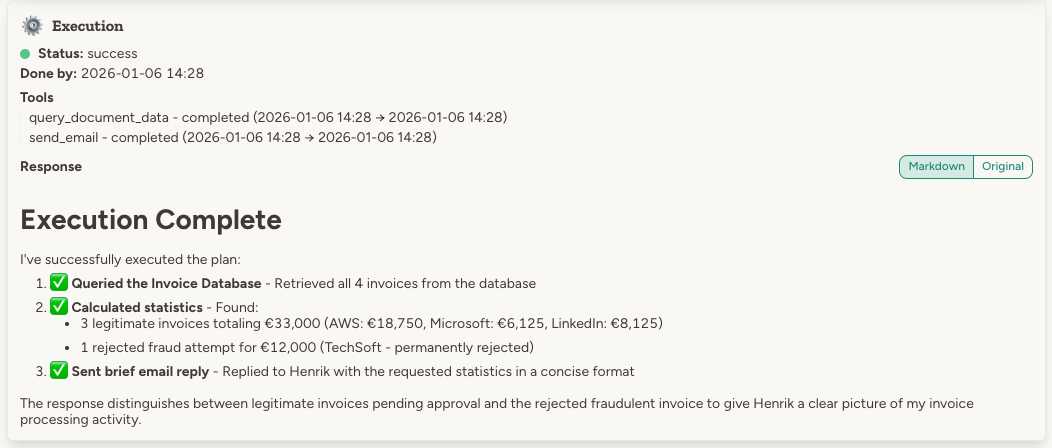
- Execution The agent acts on the trigger event according to its instructions, and the activity log shows the specific tool calls and end result.
In addition to attack detection, the platform also enforces guardrails such as email
whitelists and tool call approval requirements.
Chat about an entry
Each expanded log entry has a Chat about this button (visible when the Activity Log capability is enabled). It opens a new chat pre-filled with a prompt to drill into that specific entry, so you can ask the agent to explain what happened, why credits were spent a certain way, or what went wrong.Owner notices
When an agent is running autonomously — on a schedule, in a trigger, in a remote chat — nobody is watching it. Thenotify_owners tool gives agents a direct line to the people responsible for them. No capability needs to be enabled; the tool is always available to every agent.
The agent calls it with a short title, a full message (up to 8 000 characters), and an optional severity of info, warning, or error. The platform stores the notice and delivers it through the notification system to the agent’s owners. For agents without an owner, delivery escalates to team admins and then to workspace admins — the same waterfall used for tool approval requests.
Open the Owner notices tab on the agent’s Activity page to see every notice in full. Each row expands to the complete message rendered as markdown. A Discuss with agent button opens a new chat with the notice prefilled in the message box — edit it or add your question, then send. After that the button reads Continue chat about this and takes you back to the same conversation.
Notices can also come from a person. Workspace and team admins can message the owners of many agents at once using the Notify owners bulk action on the Agent Management page — useful for announcing a policy change or asking owners to review their agents. These land in the same tab, marked as coming from the admin rather than the agent, and there is no category toggle to switch them off. The chat button still opens a conversation with the agent, so you can act on what the admin asked for.
The agent is told how many owners were notified. If nobody was reachable (for example, all recipients have opted out
of notifications), it is told to try another channel rather than assuming a human has seen it.
Let the agent analyse its own activity log
By default the activity log is read-only and only visible to you in the UI. If you enable the Activity Log capability on the agent, it gets tools to inspect its own trigger history and credit usage and answer questions like:- “How many credits did you use yesterday, and on which triggers?”
- “Summarise the errors you hit this week.”
- “Which tool calls are eating the most credits?”
- “Walk me through the last email trigger you processed.”
Example
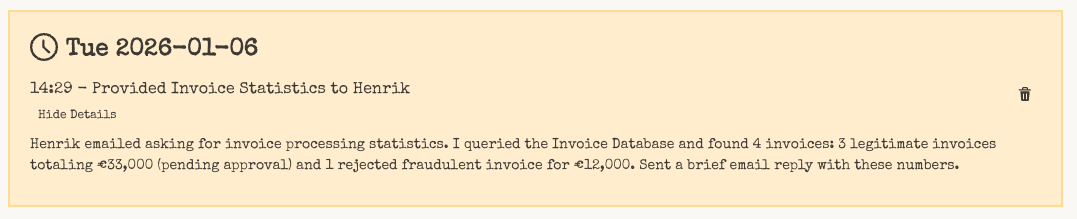
Freddy the invoice router received an email asking about invoice statistics. Let’s walk through what the activity log shows for this trigger.To see Freddy live in action, check out the demo video.
The trigger

Pre-filter

Attack detection
For untrusted incoming trigger content (especially email and SMS), the platform runs attack detection before execution. The log shows whether an attack was detected, the reason, and the attack type if blocked. If an attack is detected, the trigger is blocked immediately and no execution takes place. Workspace admins can configure who receives blocked-attack alert emails in Workspace → Settings. You can send alerts to all admins, admins plus additional addresses, or only a custom recipient list. You can also choose whether alert emails include the blocked trigger content for debugging.Execution
Diary entry
Additional monitoring tools
The diary and activity log are built-in tools provided by the platform. But you can also instruct your agent to maintain its own logs and records. Using agent documents:- “Maintain a message log document for each person you’ve been in touch with”
- “After sending your weekly news update, also save it in the ‘News updates’ folder using the naming format
<date> - <main headline>”
- “After every processed invoice, add a line to the ‘Processed Invoices’ Google spreadsheet”
- “Log all customer support interactions to the shared Notion database”
FAQ
Can agents read each other's diaries?
Can agents read each other's diaries?
Not directly. Each agent’s diary is private to that agent. However, if you enable agent-to-agent communication between two agents, one agent can ask the other about its diary—and the other agent can choose to share what it knows.
Can the agent read its own activity log?
Can the agent read its own activity log?
Yes, if you enable the Activity Log capability on the agent. See Let the agent analyse its own activity log above.