

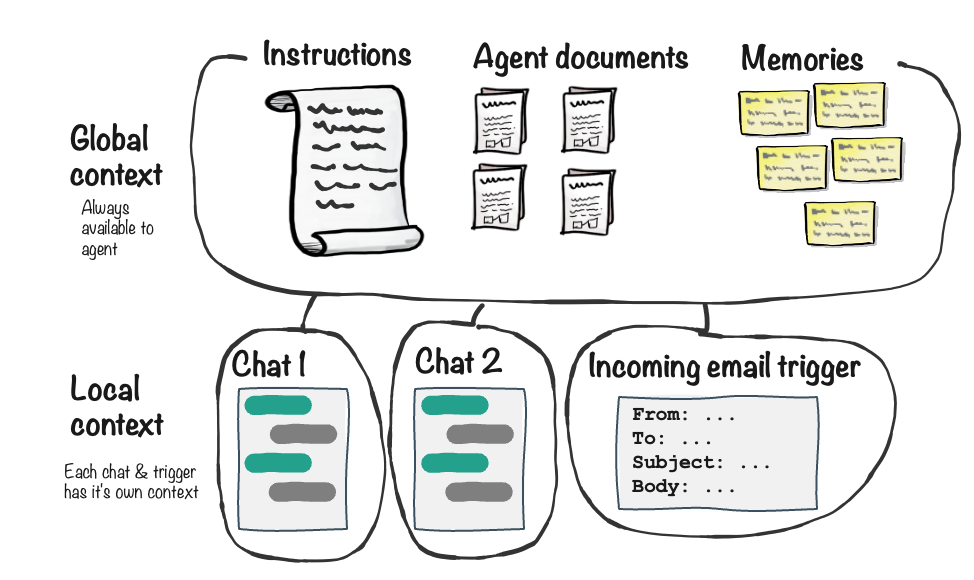
Global context
Some information is always available to your agent, no matter what it’s doing. Whether responding to a chat message, processing an incoming email, or waking up for a scheduled task, the agent has access to:- Instructions — The agent’s mission, guidelines, and core knowledge
- Agent documents — Files, databases, and reference materials (depending on visibility settings—by default the agent knows which documents it has and can read them when needed)
Local context
Each interaction has its own isolated context that the agent sees alongside the global context:- Chat conversations — When you’re in a chat, the agent knows all previous messages in that conversation. But it doesn’t know about other chats—each conversation is independent.
- Triggers — When responding to an email, scheduled task, or webhook, the agent sees the trigger details (email content, task instructions, etc.) but not any chat conversations.
What is memory?
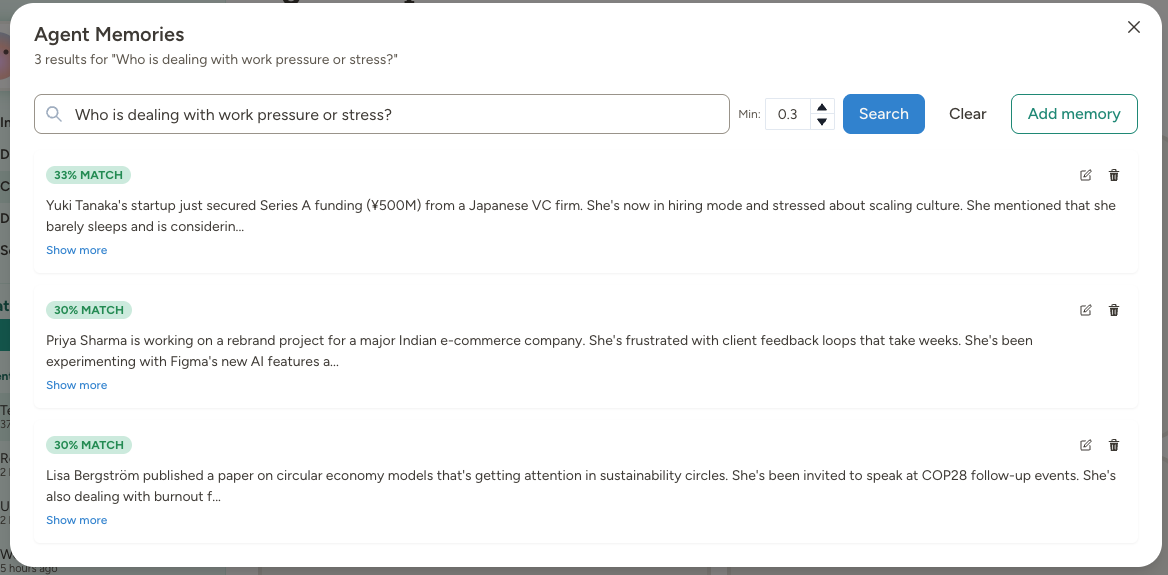
Memory is the ability to remember information across different contexts. For example, the agent might remember which company you work for, your communication preferences, or decisions made in previous conversations.Instructions and documents work as memory
Since agents can read and write their own instructions and documents, these already serve as memory. The agent can store facts, preferences, and accumulated knowledge—and access it in any future context. You can guide this behavior in your agent’s instructions:- “Create a database to store personal preferences for everyone in my workspace. Whenever someone expresses a preference, store it. When communicating with someone, check their preferences first.”
- “Keep a running log of all decisions we make in our conversations”
- “When you learn something important about a client, add it to the client notes document”
Your agent can also read its own diary—a log of its activities across all contexts. The agent won’t read its diary automatically, but will access it when asked or when it determines that reviewing past activities would help with the current task.
When to use what
For use cases like accumulating facts over time or deduplicating recurring information (e.g. “remember news items you’ve already sent so similar stories aren’t repeated”), use an agent database with semantic search. Databases find entries by meaning, not exact text, so the agent can recognize when two items are essentially the same even if worded differently.
The Memory capability
The Memory capability is retired for new agents. It remains fully functional for agents that already have it enabled, but it can no longer be added to new agents. Use agent databases instead—they offer the same semantic search with more flexibility.
Learn more
Instructions
The foundation of your agent’s behavior
Agent Documents
Files and reference materials for your agent
Agent Databases
Structured data stores with semantic search