

- Extend beyond built-in integrations — Add capabilities that aren’t provided by Abundly yet
- Use community servers — Tap into the growing ecosystem of MCP servers
- Connect internal systems — Build an MCP server for your in-house systems (CRM, inventory, custom database, etc.) and make them available to your agents
- No waiting — Add new integrations yourself, without waiting for platform updates
Learn more about the Model Context Protocol (MCP) in the official MCP documentation.
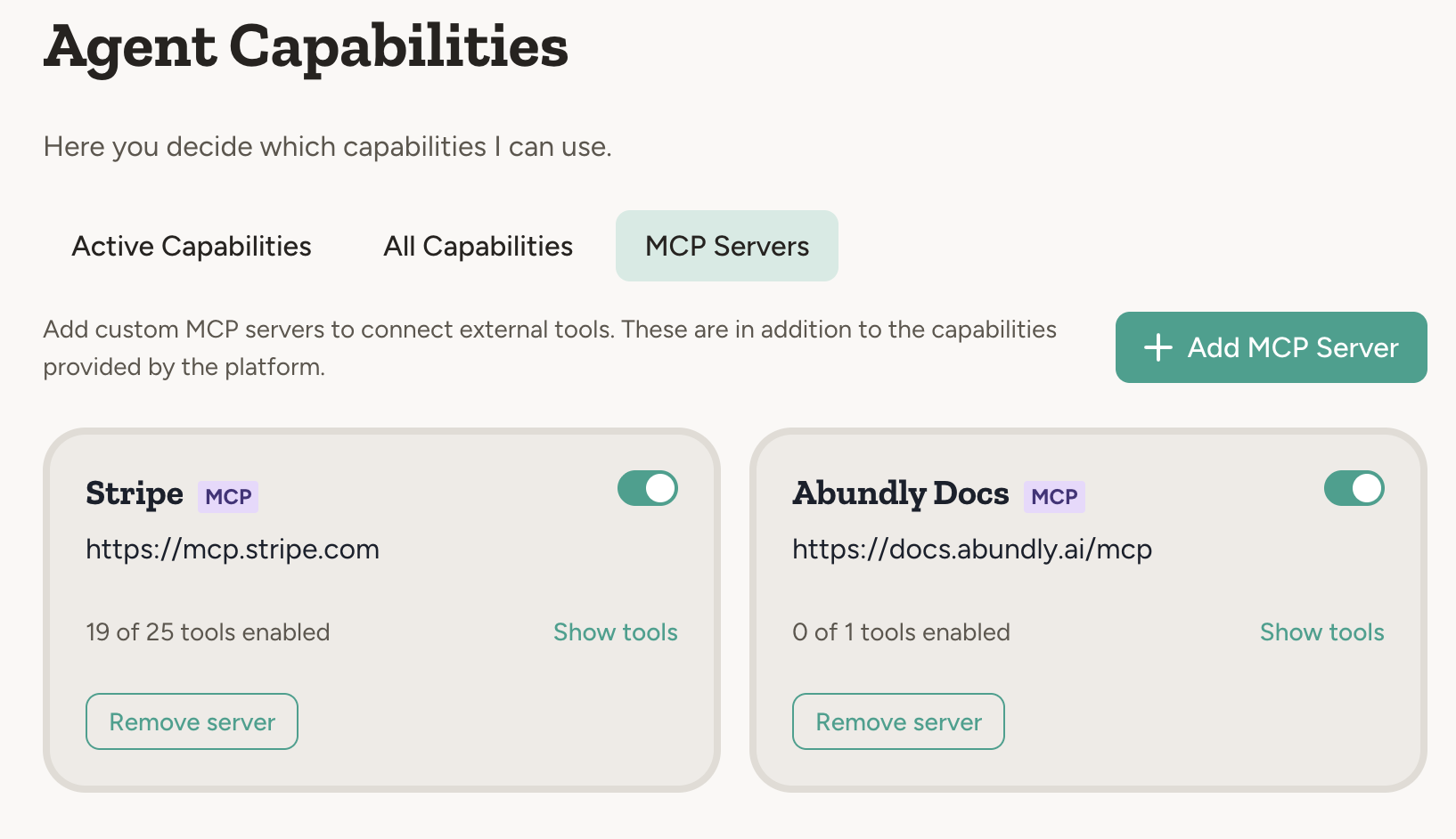
How to add an MCP server
You can add an MCP server from the built-in library or by entering a URL manually.From the library
Go to the MCP Servers tab in your agent’s capabilities. The “Add a server” section shows popular MCP servers you can add with one click — Atlassian, Stripe, Sentry, Linear, and more. Click any of them to add it to your agent, then authenticate if needed.By URL
1
Find an MCP server
Get the URL of an MCP server — from the community, a vendor, or one you’ve built yourself.
2
Add to your agent
Click Connect by URL in the MCP Servers tab and paste the server URL. It must be an
https:// address on the standard port — the platform refuses to send credentials over an unencrypted connection.3
Authenticate if needed
The platform automatically detects if authentication is required. Choose OAuth (recommended) or API token.When the server publishes its OAuth settings, the dialog reads them and there is nothing to fill in. If it publishes them but does not register clients itself, the dialog asks for your own Client ID and Client Secret. If nothing can be read, you enter the authorization URL and Client ID yourself.For non-standard setups, expand the Advanced section on the OAuth tab. Tick Customize authorization or token endpoints to change the endpoints (for servers like NetSuite where the token endpoint lives on a different host), tick Customize client credentials to use your own OAuth app instead of an automatically registered client, and set the scopes as a comma-separated list. Sections you leave unticked, or hide again, are not sent.The Advanced section on the API token tab does the same job for token auth. By default the token is sent as
Authorization: Bearer <token>. For servers that expect a vendor header instead, such as BugSnag’s Bugsnag-Auth-Token, tick Customize token header, set the header name, and clear the value prefix so the raw token is sent. Tick Send extra headers to add fixed headers that go out with every request.4
Enable/disable tools
Once connected, the platform discovers available tools. Toggle individual tools on or off.
Security
Be careful with third-party MCP servers. Only add servers from sources you trust. An MCP server has access to perform actions on your behalf, so verify the source before connecting — especially for servers that aren’t from official vendors or well-known open source projects.Workspace control
Workspace admins can allow or disallow MCP servers for the whole workspace — or per team — using the Allow MCP Servers setting under capability settings. When disallowed, users can’t add MCP servers, and servers already added to agents are disabled: their tools become unavailable to the agent until MCP servers are allowed again.MCP credentials are encrypted using hybrid AES+RSA encryption. OAuth tokens are never exposed to the AI model directly — the platform handles authentication.