

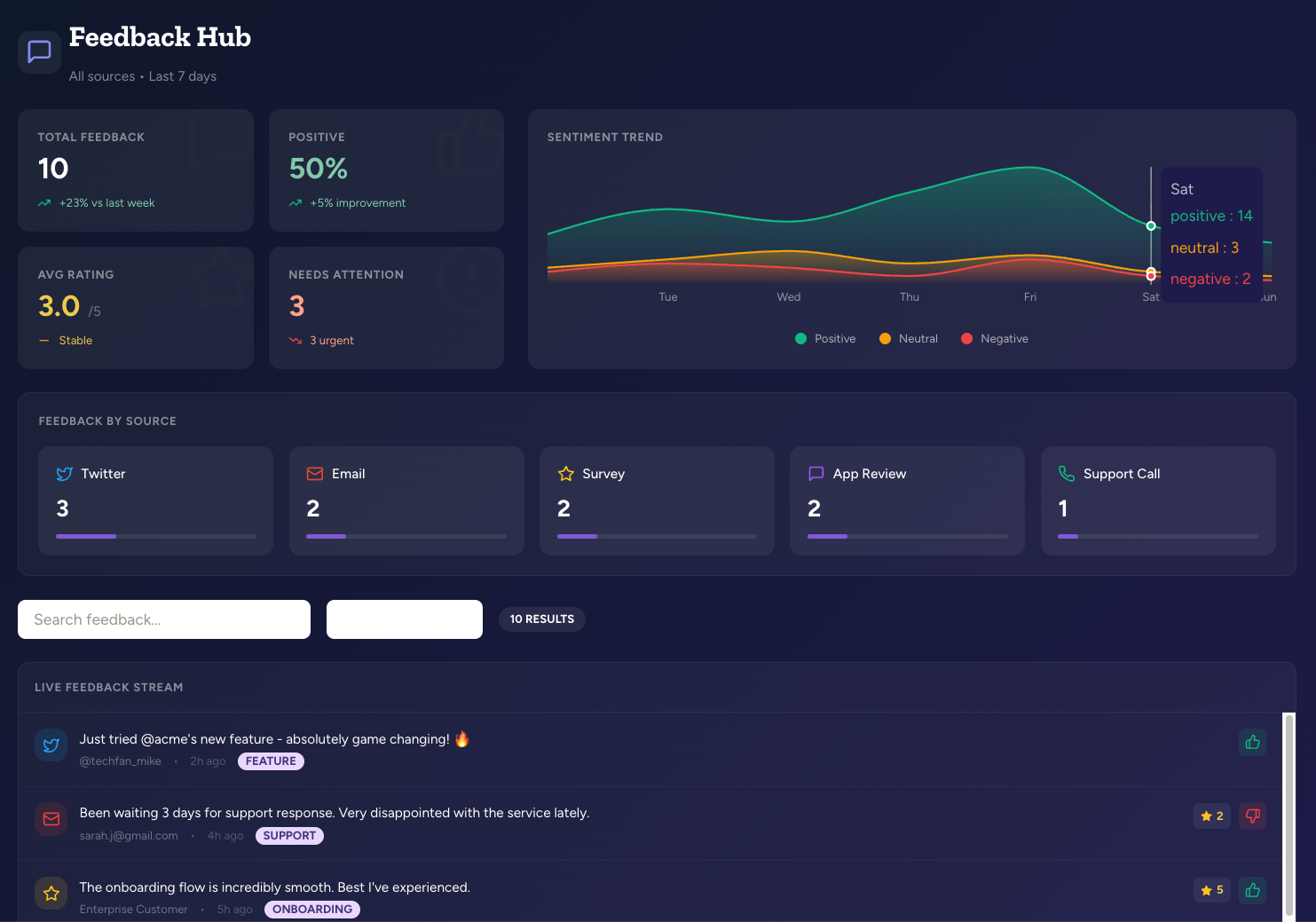
Two types of apps
Agents can create two types of applications:
Both types run in a sandboxed iframe and can read from and write to agent databases, load other documents, pull in libraries from public CDNs, generate and trigger file downloads (Excel, Word, ZIP, and more using standard CDN libraries), and call a curated set of agent tools — for example, HTTP requests through an API capability or queries against BigQuery, Snowflake, Notion databases, and similar data sources. Document and agent-database helpers on
abundly (such as loadAgentDocument and queryDocumentData) use the same toolbox execution path as abundly.callTool with the matching tool names when the app runs in an agent context. The agent chooses the appropriate type based on your request, but you can tell it to use one or the other if you have a preference.
Multi-file apps
Simple apps live in a single document, but larger projects can be split across multiple files in a folder — for example, anindex.html entry file alongside separate CSS, JavaScript, and image files. When a folder contains an entry file named index.html, index.jsx, or index.tsx, a Run app button appears directly on the folder row, letting you launch the whole folder as one app without navigating into it.
Multi-file apps work across all document scopes — agent, workspace, team, and chat. Any folder with an entry file shows the Run app button, regardless of which library it lives in.
How apps work
Interactive apps are shown alongside your other agent documents in the Documents view. When you open an app document, you use a mode selector:- View mode — The live rendered application (default view)
- Text mode — The source code (React/JSX or HTML)
- Changes mode — A history of all changes made to the app
App scopes
Apps can live in multiple scopes depending on where they’re created:
When you ask the agent to create an app in a conversation, it creates a chat-scoped document and opens it in a side panel next to the chat. Follow-up edits keep the same document, so you can iterate without the panel re-rendering from scratch. You can browse everything created in the current chat by clicking the Chat documents button in the chat action bar.
To keep an app around beyond the current conversation, promote it to an agent document:
- Ask the agent: “Save this as an agent document”
- Or open the document menu in the panel and choose Save as agent document
Publishing apps with data
Like other agent documents, apps can be published with a public URL. Anyone with the link can view and interact with the app. If your app reads from an agent database, you need to publish that database too—otherwise the app won’t have data to display. When publishing a database, you choose what public viewers can do: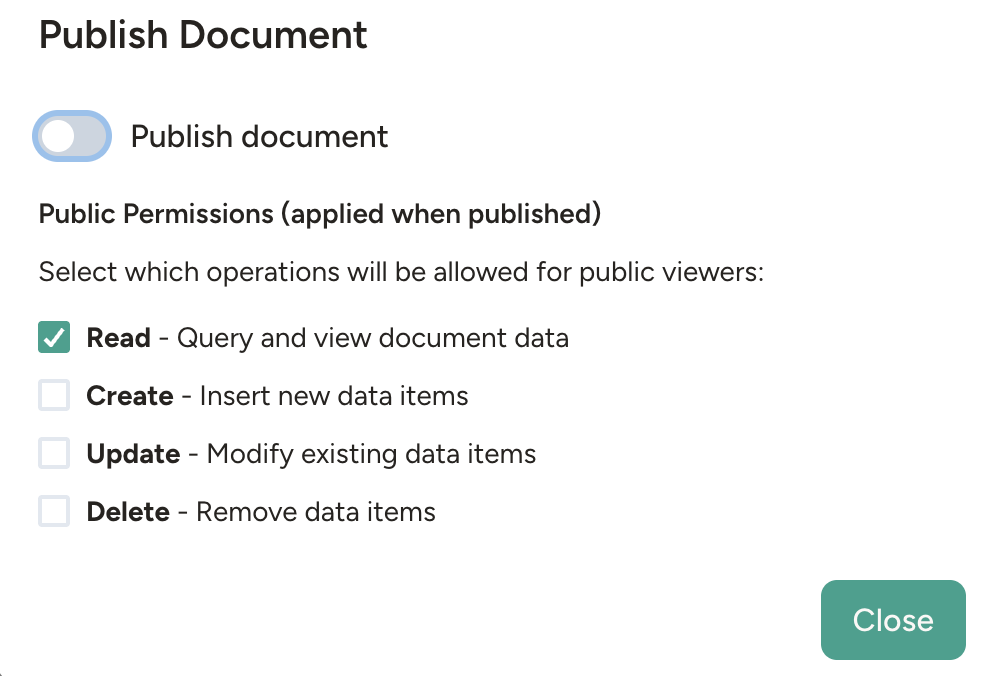
Apps that call agent tools (for example, HTTP requests through an API capability) work in the agent chat but not on public share links — the publish dialog warns you if this applies to your app.
Typical use cases
Dashboards and data browsers- Sales metrics with filters by region and date
- Project status boards showing tasks by stage
- Inventory views with search and category filtering
- Customer feedback forms
- Event registration
- Order intake forms that write to a database
- Approval workflows with action buttons
- Scheduling views with drag-and-drop
- Comparison tools for evaluating options
- Pricing calculators for your website
- Quote generators for sales teams
- Interactive reports for clients
Real-world example
A TV production company used Abundly to build a photographer scheduling system. The agent created its own database and interactive dashboard for visualizing and managing schedules. Staff could view the schedule, and the agent could suggest and apply changes through conversation.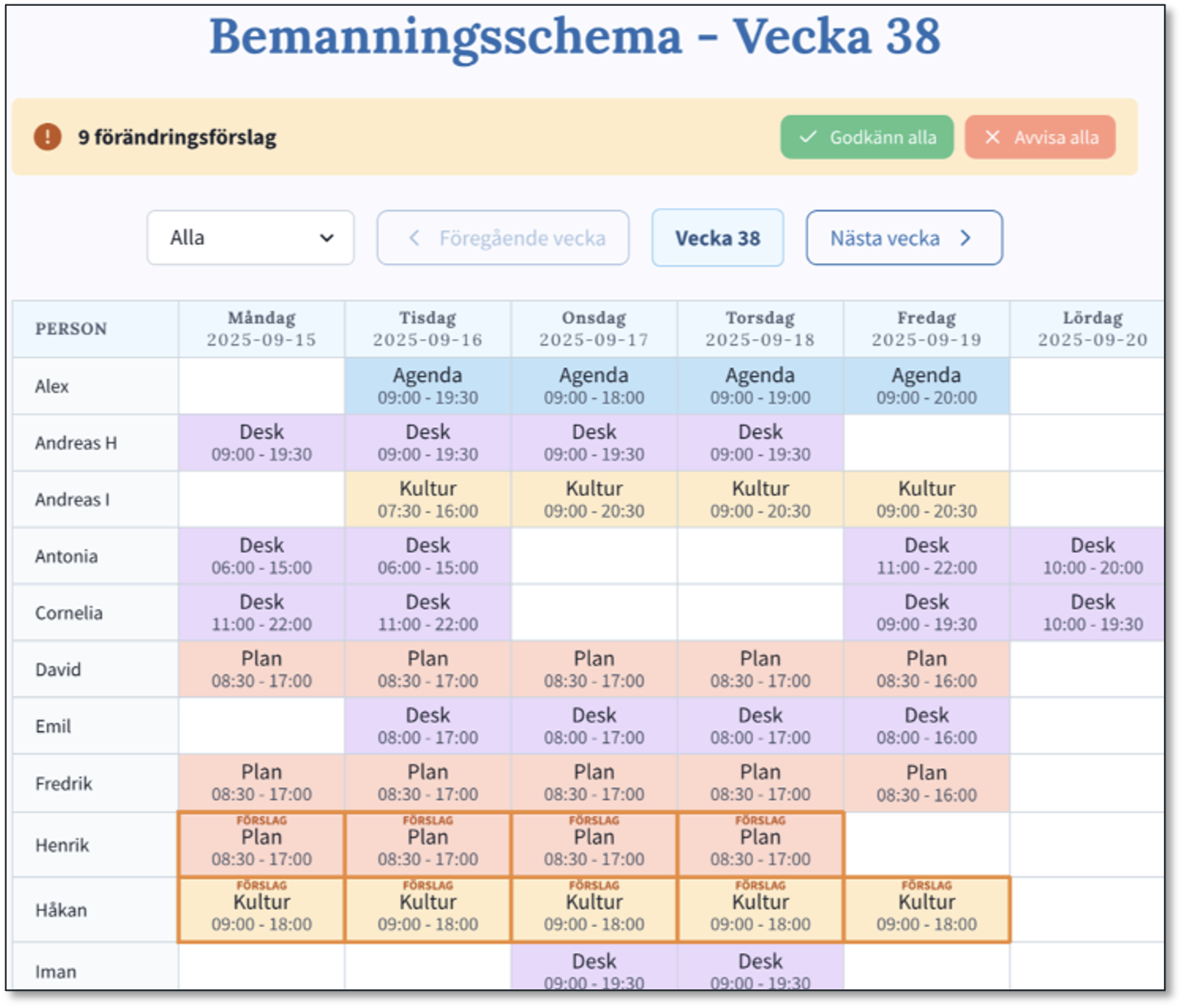
Behind the Scenes: Making a Scheduler Agent for SVT
Full case study showing how the agent built its own database and dashboard for a real production workflow
Learn more
Agent Databases
The data layer that powers interactive apps
Agent Documents
How apps fit into the document system
Code Execution and Scripts
Code that runs for processing and automation