

- User-provided credentials — If you bring your own account (e.g., Slack, Notion, GitHub), then Abundly doesn’t charge for these integrations since you’re already paying the provider directly.
- Platform-provided credentials — If Abundly provides the account (e.g., web search, image generation), then Abundly pays the provider and converts the cost to credits, which are charged from your account.
The integration call itself is free with your own credentials, but any Abundly-side processing of what it fetched — for example extracting text from a file attachment so the agent can read it — is billed like every other tool use.
Example
Suppose your agent has the following capabilities: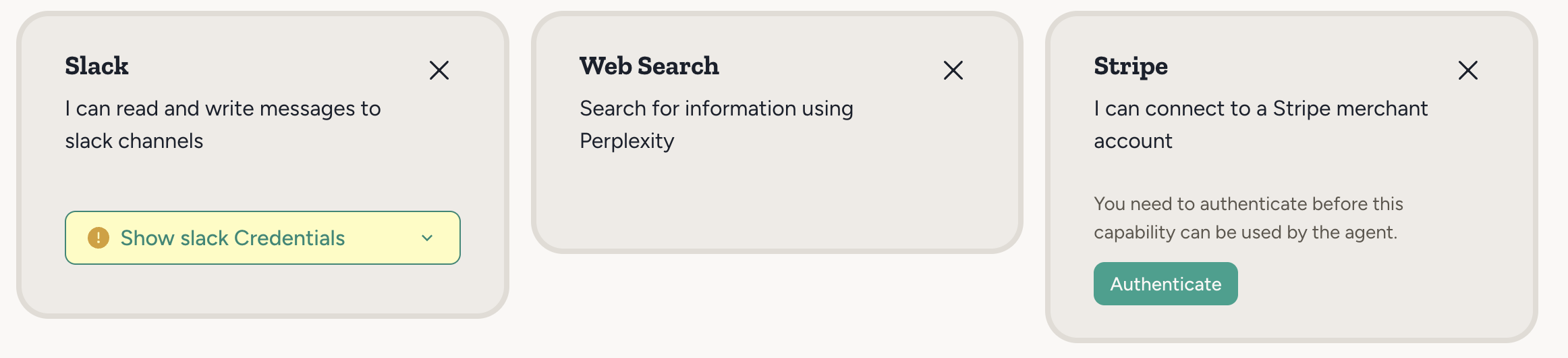
- Slack asks you to provide credentials — your account is used, so no credits charged.
- Stripe uses OAuth to connect your account — your account is used, so no credits charged.
- Web Search works out of the box with no setup. But web search is still an external service (Perplexity) — since no user credentials are provided, Abundly’s account is used, so credits are charged on usage.
LLM inference — the “thinking” your agent does — also consumes credits, regardless of which integrations are involved. See Pricing for the full picture.
Tracking credit usage
To see how credits are being consumed:- Click the Abundly logo in the top left
- Select Usage and Limits
- View the breakdown by agent or time period