

Which capability to use
Which one should I pick? Start with the file-scoped Google Drive capability — it covers most needs and keeps the agent’s reach narrow. Full Access requests broad access to your whole Drive, so it is available on request rather than switched on by default.If what you need is a whole folder rather than individual files, you don’t need Full Access: use the service account mode of the file-scoped capability (below) and share the folder with the service account’s email. Files added to that folder later are covered automatically.
Authentication modes
The Google Drive capability card offers two modes:- Personal — Connect your own Google account and share specific files (the default).
- Service account — Reference a Google service account JSON key (stored as a workspace secret). The agent accesses exactly what’s shared with the service account’s email, with no personal token. Best for autonomous, per-agent access.
A service account has no storage of its own, so to let the agent create files, give it Content manager access to a Shared Drive (the whole drive or a folder inside it).
How to enable
1
Enable the capability
Go to Settings → Capabilities and enable Google Drive or Google Drive (Full Access).
2
Connect your Google account
Click Create new to sign in with your Google account and create a personal access token. This token belongs to you and can be managed in your profile settings.If you already have a matching Drive token from setting up another agent, you can select it from the dropdown instead.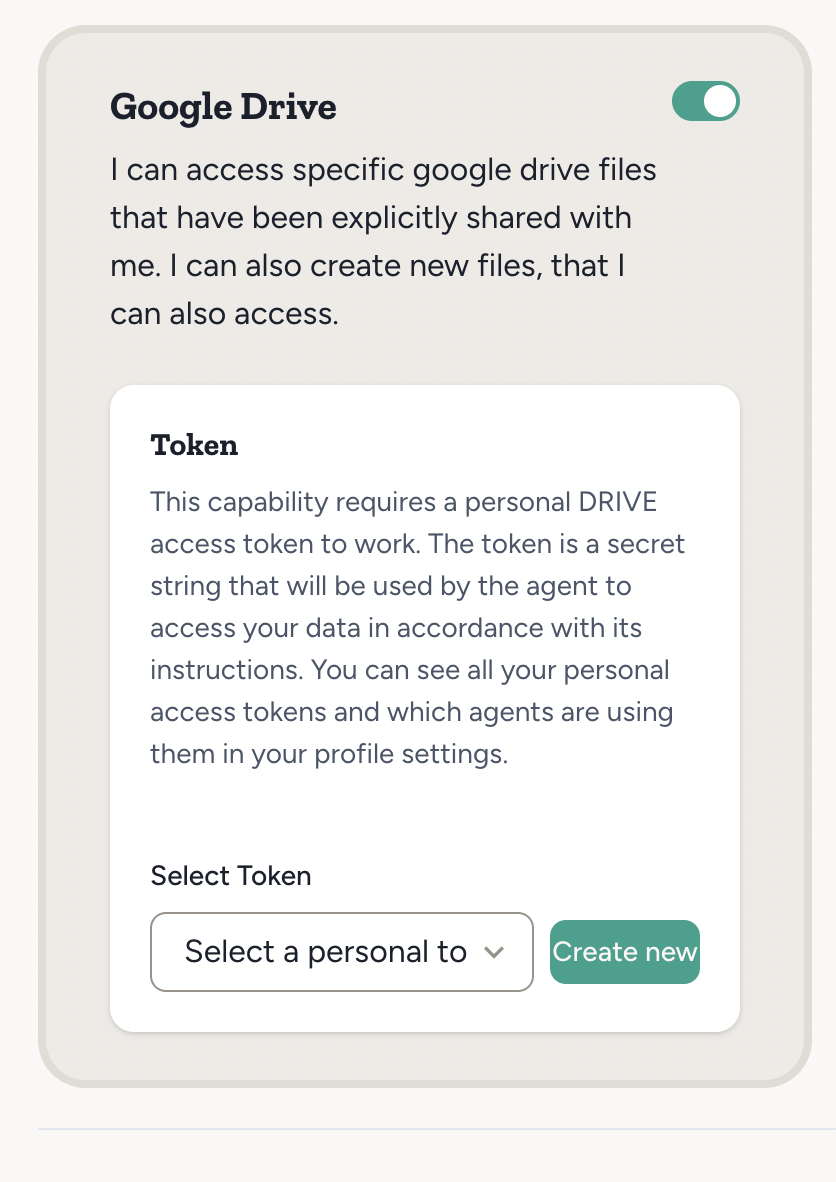
3
Set access scope
- Google Drive: On the Google Drive capability card (under Settings → Capabilities), use the Files section to share one or more specific Drive files with your agent. You can remove access later. The agent can also access files it creates itself.
- Google Drive (Full Access): After OAuth, Abundly takes you to a settings page where you can pick which drives (My Drive and any shared drives) to allow, and optionally narrow access to specific folders within each drive. Choose Allow All & Continue to keep broad access, or Save & Continue to apply a restricted scope from the start.
You can update Full Access drive and folder selections later from Profile settings → Personal Tokens.
What your agent can do with Drive files
- Read: Google Docs (whole document or a specific tab), Sheets, and Slides, plus text files, PDFs, common Office files (Word, Excel, PowerPoint), and Apple iWork files (Pages, Keynote, Numbers)
- Visual PDF extraction: Extract content from complex PDFs (scanned documents, tables, charts, or tricky layouts) using vision-based page extraction — no need to import the file first
- Edit: Google Docs (whole document, or one tab without touching the others) and Google Sheets that the agent has access to
- Create: New Google Docs and Google Sheets in your Drive, and new tabs in an existing Google Doc
If your token expires or is revoked
OAuth tokens refresh automatically in normal use. If your Google Drive access has been revoked or can no longer be refreshed, use Reconnect where available (the Drive capability card or Personal Tokens) to re-run consent on the same token so agents keep using the existing token reference.Example use cases
- Document creation — “Create a summary doc in Google Drive from this meeting transcript”
- Data analysis — “Read the data from this spreadsheet and give me the key insights”
- Data entry — “Remove the toasters product from the pricing spreadsheet”
- Data updates — “Update the quarterly report in Drive with the latest figures that John just posted in Slack”