

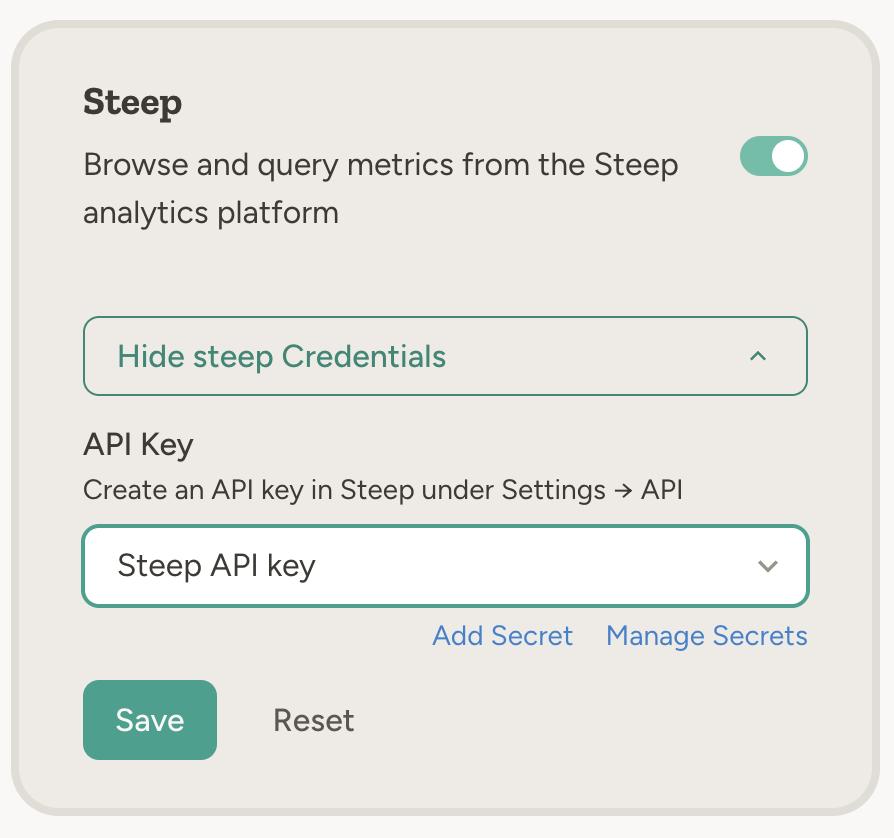
How to enable
Go to Settings → Capabilities and enable Steep. Create an API key in Steep under Settings → API and paste it into the capability card. The key is stored as a team secret.Example use cases
- Metric lookups — “What was our MRR last month according to Steep?”
- Scheduled reports — “Every Monday, get the key product metrics from Steep and email a summary to the leadership team”
- Cross-tool workflows — “Pull this week’s conversion metrics from Steep and add them to the weekly update in Notion”
- Trends and analysis — “Query Steep for signups by region over the last quarter and summarize the trend”
- Board prep — “Get our standard KPIs from Steep for the last 30 days and put the numbers into a one-pager for the board meeting”
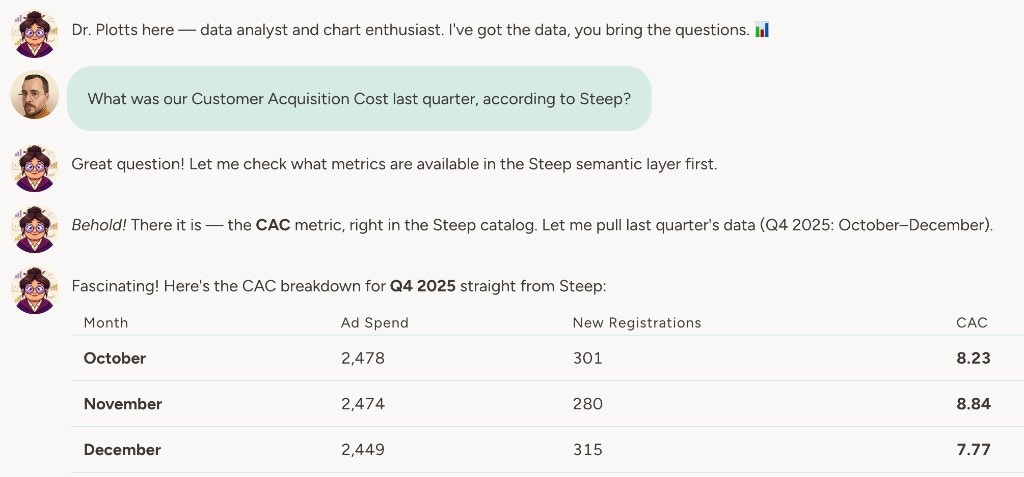
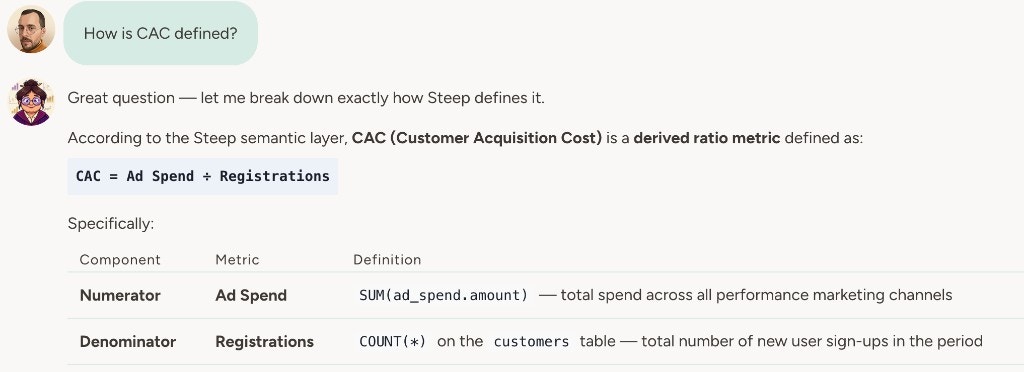
The agent talks to Steep’s API (api.steep.app). Ensure your API key has access to the metrics and data the agent needs.
How to connect Steep
1
Create an API key
In Steep, go to Settings → API and create an API key.
2
Configure in Abundly
Go to Settings → Capabilities and enable Steep. Paste the API key into the capability card. It is stored as a team secret (secret type: Steep).
Learn more
BigQuery
Query and explore your Google BigQuery data from the agent.
Snowflake
Query and explore your Snowflake data warehouse from the agent.