

What Orchestration Agents Do
Workflow Coordination
Manage complex processes with multiple steps and dependencies.
Agent Management
Direct specialized agents to work together on large tasks.
Resource Allocation
Schedule and assign work across teams and systems.
Exception Handling
Handle issues and escalate when workflows go off track.
Example: Recruitment Workflow
An orchestration agent manages the hiring process:1
Screening Agent
Reviews resumes and filters candidates.
2
Scheduling Agent
Coordinates interview times with candidates and interviewers.
3
Assessment Agent
Prepares interview materials and collects feedback.
4
Offer Agent
Generates offer letters and tracks acceptance.
- Moves candidates through stages
- Ensures nothing falls through cracks
- Handles exceptions and delays
- Provides status updates to hiring managers
Example: Cross-Channel Escalation
Prompt:- Monitors Slack channels for security-related keywords
- Evaluates urgency based on criteria
- Sends SMS for urgent issues
- Logs all escalations for review
Multi-Agent Architecture
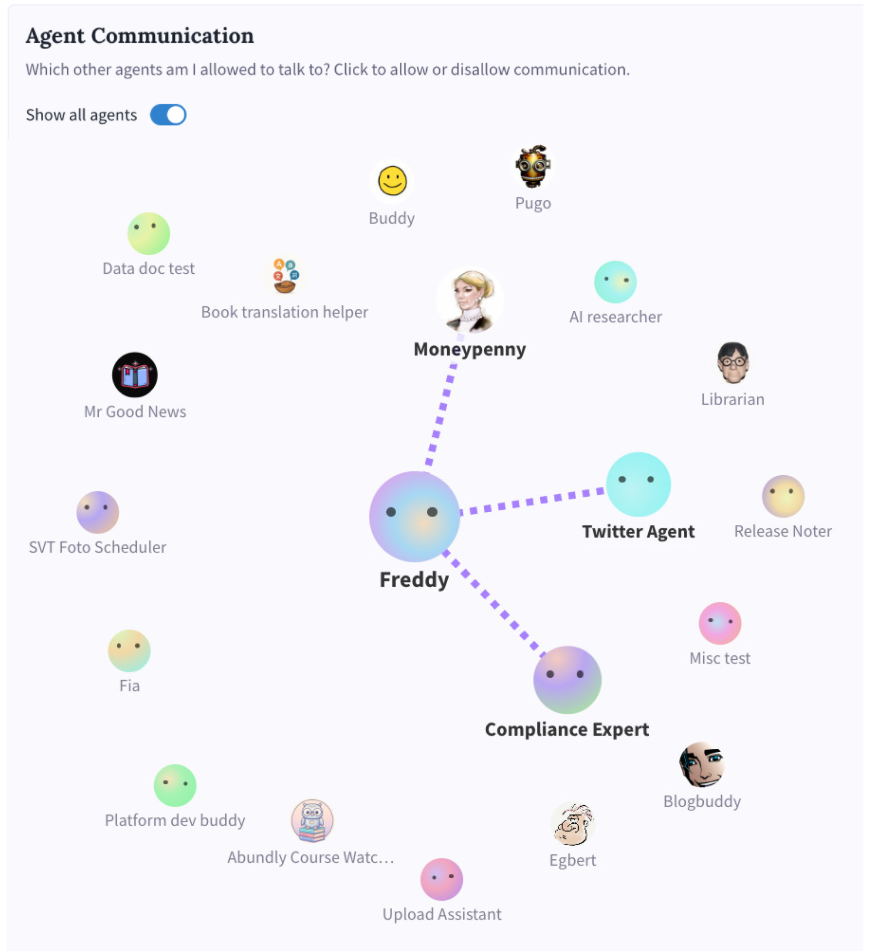
Delegation Pattern
Expert Consultation Pattern
Benefits of Orchestration
| Benefit | Description |
|---|---|
| Specialization | Each agent focuses on what it does best |
| Scalability | Add agents without rebuilding existing ones |
| Modularity | Update individual agents without breaking workflows |
| Visibility | Track progress through complex processes |
Example: Dynamic App Creation
Prompt:- Queries the ticket database
- Designs dashboard layout
- Creates interactive web application
- Publishes for team access
- Updates automatically as data changes
Best Practices
Define clear handoffs
Define clear handoffs
Specify exactly when and how work moves between agents.
Plan for failures
Plan for failures
What happens if one agent fails? Define fallback procedures.
Maintain visibility
Maintain visibility
Ensure the orchestrator can report on overall workflow status.
Keep agents focused
Keep agents focused
Each specialist should have a narrow, well-defined role.