> ## Documentation Index
> Fetch the complete documentation index at: https://docs.abundly.ai/llms.txt
> Use this file to discover all available pages before exploring further.
# Google Gemini
> Gemini family of language models and image generation
Google provides the Gemini family of language models and image generation capabilities for your agent.
## Gemini models
Gemini models are available as an alternative to the default model for your agent.
Configure model selection under **Settings → Advanced Config**.
See [Model Selection](/features/model-selection) for the full list of available models and guidance on choosing the right one.
## Image generation
Generate images from text descriptions using Google's `gemini-3.1-flash-image` model.
**How to enable:** Toggle on the **Image generation** capability on your agent, and select Google.
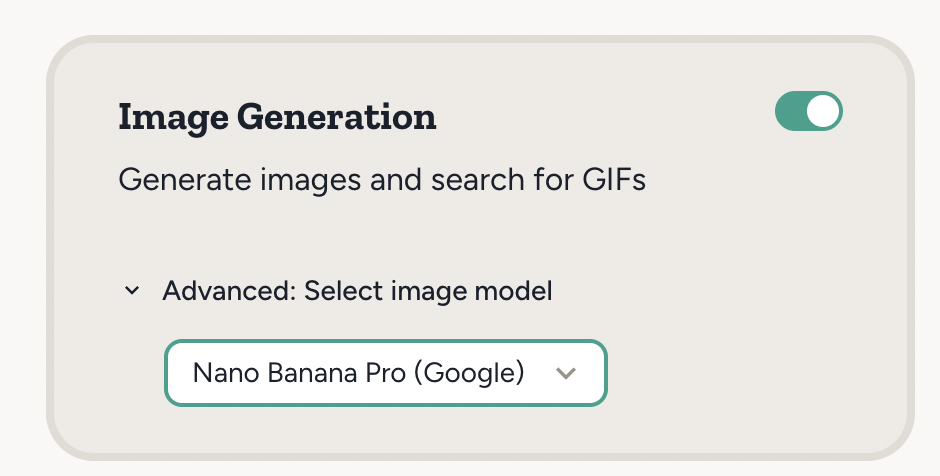 New agents default to GPT for image generation, but Gemini remains fully supported and you can select it from the Image generation capability card.
## Example use cases
* "Generate a nice looking infographic summarizing these meeting notes: ..."
* "In your daily news summary, also generate and include a suitable cover image"
New agents default to GPT for image generation, but Gemini remains fully supported and you can select it from the Image generation capability card.
## Example use cases
* "Generate a nice looking infographic summarizing these meeting notes: ..."
* "In your daily news summary, also generate and include a suitable cover image"